

Enduco and IC Trainer are now partners.
Unlike other providers, you can only link IC Trainer and Enduco via your IC Trainer account.
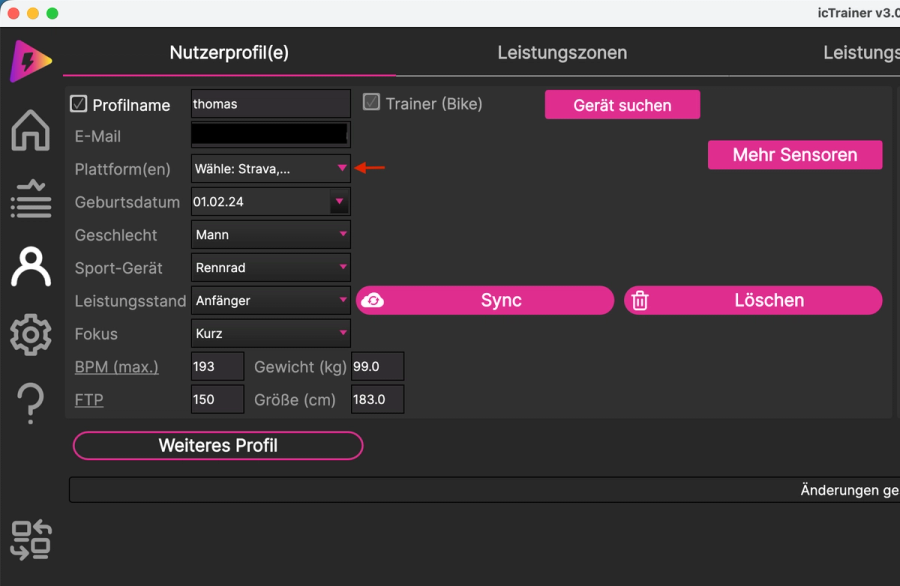
Here’s how to do it:
- Go to your profile and select ‘Platforms’
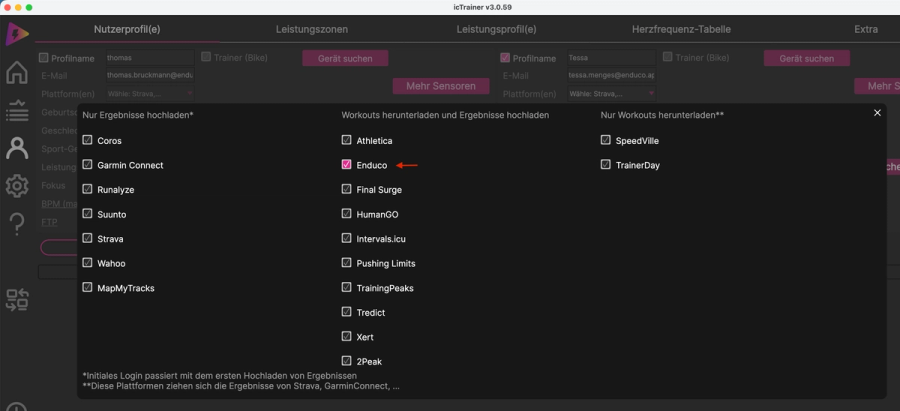
2. Select Enduco
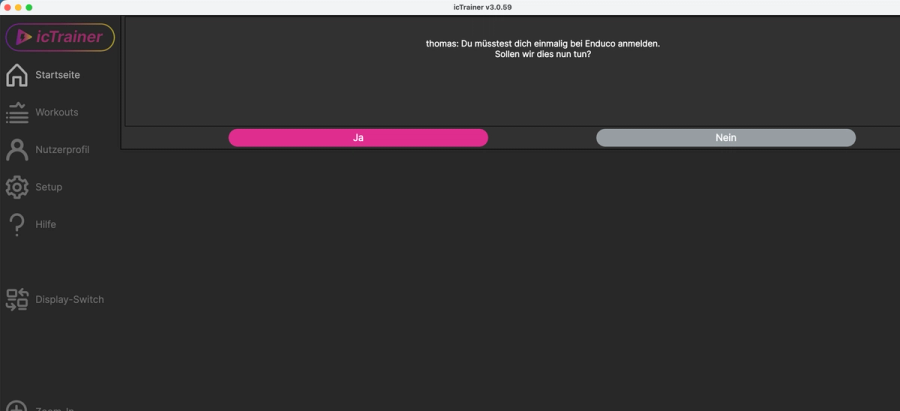
3. Return to the home page and click ‘Yes’
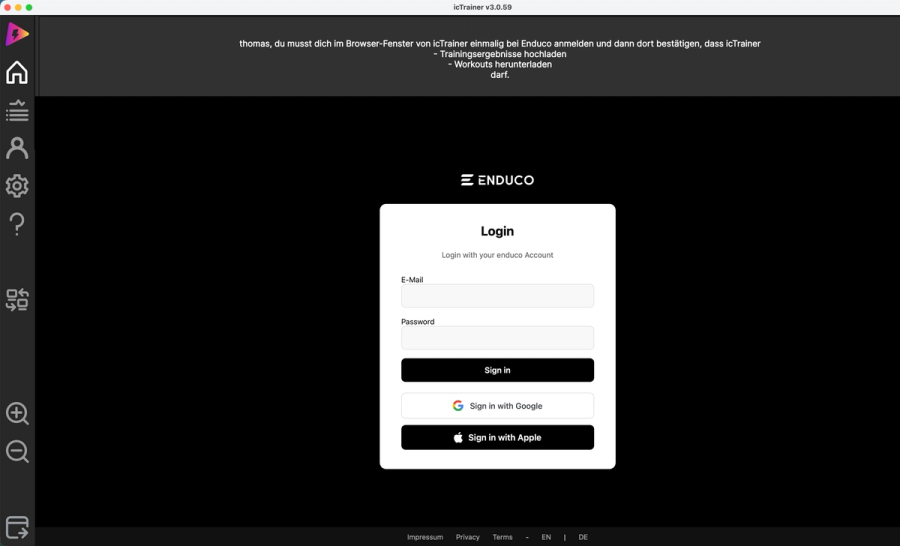
4. Log in with your Enduco account (if using Google or Apple login, you’ll need your Google/Apple ID password here)
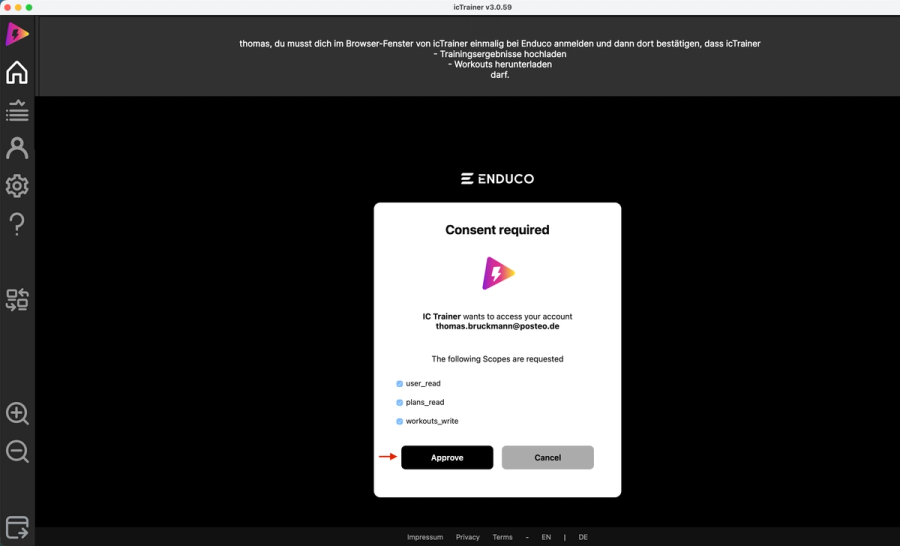
5. All the checkboxes should remain ticked; simply press “Approve”
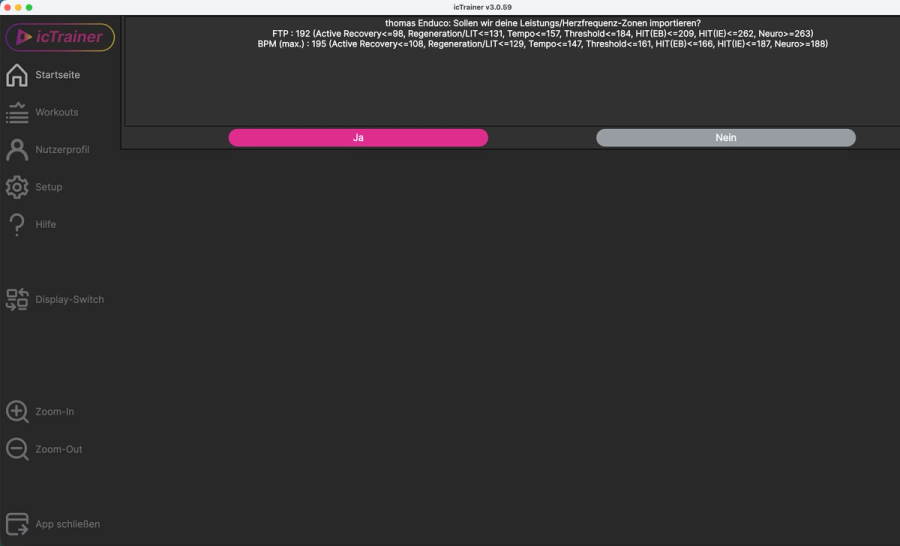
6. Confirm by clicking “Yes” so that all your performance data is imported from Enduco to IC Trainer
Once this is done, your training plans will be automatically synchronised with IC Trainer and your completed workouts will be imported back into Enduco.